Technical data
HP Ink Tank 315: Printer Specifications
A compact entry-level all-in-one with a built-in continuous ink supply system (CISS). Below are the full specs and exactly what ships in the box.
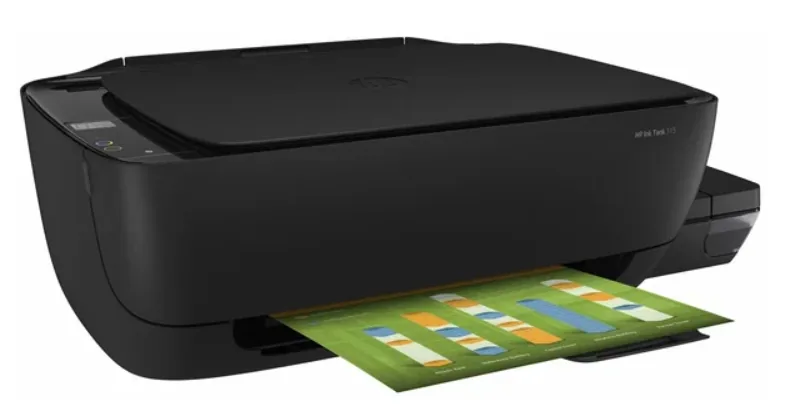
| Device type | All-in-one: print, scan, copy |
|---|---|
| Print technology | Inkjet, thermal printhead |
| Print speed, black | up to 8 ppm |
| Print speed, color | up to 5 ppm |
| Print resolution, black | up to 1200 × 1200 dpi |
| Print resolution, color | up to 4800 × 1200 dpi (optimized) |
| Scanner | Flatbed, CIS sensor |
| Scan resolution | up to 1200 × 1200 dpi |
| Copying | Black and color, standalone (no PC needed) |
| Paper size | A4, A5, A6, B5, envelopes |
| Connectivity | USB 2.0 (Hi-Speed), no Wi-Fi |
| Display | No screen — LED indicators and buttons |
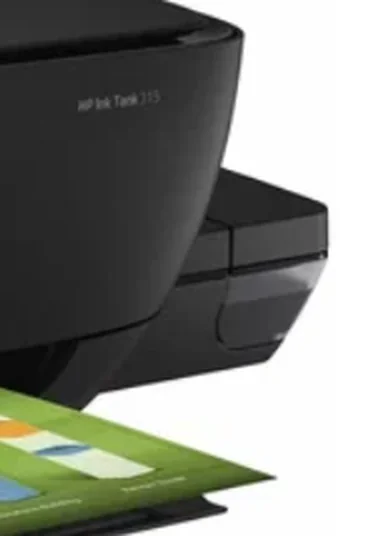
Printer photo supplied by the site owner
Consumables
Ink and the CISS
Instead of cartridges, the HP Ink Tank 315 uses transparent tanks built into the printer body. You refill them directly from bottles — there’s no need to replace a cartridge every time ink runs low, which is the main reason this line is popular for high-volume home printing.
| Black ink | HP GT51 (bottle) |
|---|---|
| Color ink | HP GT52 — Cyan / Magenta / Yellow |
| Black bottle yield | ~6,000 pages |
| Color bottle yield | ~8,000 pages |
Yield figures are HP’s stated numbers for GT-series bottles at 5% A4 page coverage — actual consumption depends on what you print.
Dimensions
Size, weight, box contents
| Dimensions | ~425 × 380 × 148 mm |
|---|---|
| Weight | ~3.6 kg |
| In the box | printer, one GT51 bottle, GT52 bottles (C/M/Y), power cable, quick start guide |
| USB cable | not included |
| Warranty | 1 year |
OS
Supported operating systems
| Windows | 7 SP1, 8, 8.1, 10, 11 (32/64-bit) |
|---|---|
| macOS | 10.13 and later (check support.hp.com for the current list) |
| Windows XP | not supported — see our dedicated page (why) |
Specifications are based on HP’s official materials for the Ink Tank line and may vary slightly by region and production batch — check the box or the device data sheet on support.hp.com for the exact figures for your unit.